

Stop debugging like it’s 2020 because mobile development tooling has evolved dramatically in the past five years, yet many developers still rely on outdated debugging workflows, inefficient testing approaches, and manual processes that waste hours weekly. The gap between developers using cutting-edge tools and those stuck with 2020-era workflows represents 10+ hours of wasted time per week—time that could be spent building features, improving code quality, or enjoying life outside work.
The reality is that debugging and development workflows haven’t fundamentally changed for many mobile developers since pre-pandemic era. They still manually reproduce bugs, rely on print statement debugging, manually test on physical devices, and spend hours investigating issues that modern tools could diagnose in minutes. Meanwhile, developers who adopted modern debugging tools, automated testing infrastructure, and AI-assisted development workflows ship faster, encounter fewer bugs, and experience significantly less frustration.
Understanding which modern tools actually save time versus which create new complexity separates productive developers from those drowning in technical debt and debugging sessions. Not every new tool deserves adoption, but specific categories of modern tooling provide transformative productivity improvements that compound over weeks and months.
At Ambacia, we place mobile developers across Europe and see which tools the most productive teams use, which investments in tooling pay off, and which “productivity tools” create more problems than they solve.
Key Takeaways
AI-powered debugging tools reduce investigation time by 60% – GitHub Copilot, Tabnine, and specialized debugging assistants analyze stack traces, suggest fixes, and explain error messages that previously required extensive Stack Overflow searching and trial-and-error.
Cloud-based device testing eliminates physical device management – Services like BrowserStack, Sauce Labs, and AWS Device Farm provide instant access to hundreds of real devices eliminating hours spent managing test devices, charging cables, and OS version compatibility.
Automated crash reporting with full context – Modern crash analytics from Firebase Crashlytics, Sentry, or Instabug capture user sessions, device state, and reproduction steps automatically instead of vague “app crashed” reports requiring detective work.
Hot reload and fast refresh cut iteration time by 75% – Flutter’s stateful hot reload and React Native’s Fast Refresh enable seeing code changes in under one second versus 30-60 second rebuild cycles, transforming development experience.
Network debugging and API mocking tools – Proxyman, Charles Proxy alternatives, and mock server tools eliminate backend dependency bottlenecks allowing parallel mobile and API development with simulated responses.

What Changed Since 2020
Pre-pandemic debugging reality
Mobile development in 2020 relied heavily on manual processes, physical device testing, and time-consuming debugging workflows.
Print statement debugging (NSLog, console.log, Log.d) remained primary debugging approach despite being inefficient and requiring code changes, recompilation, and manual log analysis.
Physical device management consumed hours weekly. Developers maintained drawer full of devices across iOS versions, Android manufacturers, and screen sizes requiring constant charging and OS updates.
Crash reports provided stack traces but lacked context. Reproducing user-reported crashes required interviewing users, guessing device states, and trial-and-error reproduction attempts.
Build times measured in minutes. Seeing code change required 2-5 minute rebuild and reinstall cycle destroying flow state and productivity.
Manual testing on every change. No automation meant manually tapping through app workflows after each code change to verify nothing broke.
Modern tooling revolution
Five years of tooling innovation transformed what’s possible in mobile development workflows.
AI-assisted coding through GitHub Copilot, Tabnine, and specialized tools suggests code completions, generates boilerplate, and explains unfamiliar APIs reducing context switching to documentation.
Cloud device labs providing instant remote access to hundreds of real devices across iOS and Android eliminating physical device management overhead.
Comprehensive crash analytics capturing full user session recordings, breadcrumb trails, and device state snapshots enabling reproduction without user interviews.
Sub-second hot reload in Flutter and Fast Refresh in React Native making code changes visible instantly without losing app state.
Automated testing infrastructure through GitHub Actions, Bitrise, or Codemagic running comprehensive test suites on every commit without manual execution.
The adoption gap problem
Despite available tools, many development teams haven’t modernized workflows creating productivity gap between cutting-edge and outdated practices.
Legacy workflow inertia means teams continue “the way we’ve always done it” without evaluating whether better approaches exist.
Tool evaluation overwhelm from dozens of options creates decision paralysis. Teams stick with known tools rather than researching alternatives.
Budget constraints at some companies prevent adopting paid tools even when ROI clearly positive within weeks or months.
Learning curve resistance from developers comfortable with existing workflows who view new tools as additional complexity rather than time savings.
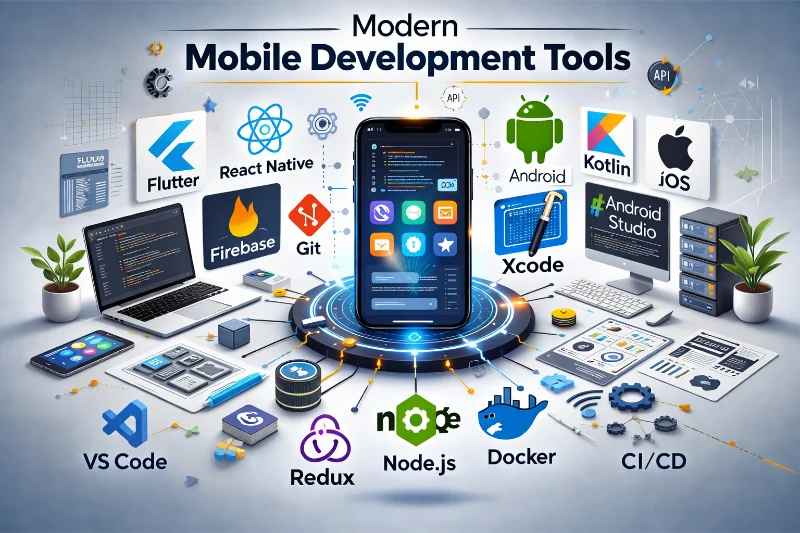
Modern Debugging Tools That Actually Work
AI-powered error explanation and fixes
AI coding assistants evolved beyond code completion to actively helping debug and fix issues.
GitHub Copilot now suggests bug fixes when it detects errors in code. Highlight error, ask Copilot for explanation and fix suggestions, receive contextual solutions in seconds.
Pieces for Developers captures code snippets, stack traces, and debugging sessions providing searchable knowledge base of solutions to previously solved problems.
Cursor AI and other AI-first IDEs analyze entire codebase context when suggesting fixes rather than treating each file in isolation.
ChatGPT and Claude (when used effectively) explain cryptic error messages, suggest debugging approaches, and identify common mistake patterns saving Stack Overflow search time.
Real-world impact: Instead of spending 30 minutes searching Stack Overflow for obscure error message, paste error into AI assistant and receive explanation plus potential fixes in 60 seconds.
Advanced breakpoint and debugging features
Modern IDEs offer sophisticated debugging capabilities beyond basic breakpoints that existed in 2020.
Conditional breakpoints in Xcode and Android Studio pause execution only when specific conditions met. Instead of clicking “continue” 50 times to reach problematic state, conditional breakpoint pauses exactly when needed.
Logpoints allow adding logging without modifying source code. Insert log statement that only exists during debugging session without code changes, compilation, or commit pollution.
Expression evaluation and LLDB/debugger commands enable inspecting complex object states, calling methods during pause, and modifying variables to test fixes without rebuilding.
Time-travel debugging in specialized tools allows stepping backward through execution history. See not just current state but how program arrived at that state.
Remote debugging for production issues through specialized tools allows attaching debugger to apps running on user devices (with permission) for investigating issues impossible to reproduce locally.
Network traffic inspection tools
Understanding and debugging network communication dramatically improved with modern tools.
Proxyman (macOS) provides beautiful interface for inspecting HTTP/HTTPS traffic including request/response bodies, headers, timing, and ability to modify traffic on the fly.
Charles Proxy alternatives like Requestly or mitmproxy offer similar capabilities with different feature sets and pricing models.
Network Link Conditioner simulates various network conditions (3G, high latency, packet loss) enabling testing app behavior under poor connectivity without leaving office.
Mock servers and API mocking tools allow frontend mobile development continuing while backend APIs are still under development. Tools like WireMock, MockServer, or Mockoon enable defining expected API responses.
Real-world impact: Debugging authentication issue that requires inspecting encrypted HTTPS traffic previously required complicated proxy setup and certificate installation. Modern tools make this one-click operation.
Debugging Time Savings by Tool Category
| Tool Category | Traditional Approach Time | Modern Tool Time | Weekly Time Saved | Example Tools |
| Error investigation | 30-60 min per issue | 5-10 min per issue | 2-4 hours | GitHub Copilot, ChatGPT, Pieces |
| Device testing | 45-90 min daily | 10-15 min daily | 4-6 hours | BrowserStack, AWS Device Farm, Sauce Labs |
| Network debugging | 30-45 min per API issue | 5-10 min per issue | 1-2 hours | Proxyman, Charles, Requestly |
| Crash reproduction | 60-120 min per crash | 15-30 min per crash | 2-3 hours | Firebase Crashlytics, Sentry, Instabug |
| Code iteration | 3-5 min per change | <5 sec per change | 3-5 hours | Flutter Hot Reload, React Native Fast Refresh |
| Total Weekly Savings | 12-20 hours |
Why Hot Reload Changed Everything
Flutter’s stateful hot reload
Flutter introduced hot reload that preserves app state while injecting updated code, transforming development experience.
Sub-second feedback loop means seeing UI changes, logic updates, and bug fixes instantly without losing place in app or manually navigating back to test screen.
State preservation across reloads means authentication state, navigation stack, and user inputs remain intact. No need to repeatedly log in or navigate through multiple screens after each code change.
Real-time experimentation becomes natural. Adjust padding by 4 pixels, see result instantly, adjust again, compare options, and settle on perfect spacing in seconds rather than minutes.
Productivity compounding effect: Saving 2-3 minutes per code change multiplied by 50-100 daily changes equals 100-300 minutes (1.5-5 hours) saved daily.
Development workflow transformation from “change code, wait 3 minutes, test” to “change code, see result immediately, iterate rapidly” fundamentally different experience.
React Native Fast Refresh
React Native’s Fast Refresh brought similar capabilities to JavaScript-based mobile development.
Instant component updates showing changes to React components in under one second while preserving component state and navigation.
Error recovery showing helpful error messages in-app rather than crashing and requiring restart.
Full reload fallback automatically triggering when changes can’t hot reload (dependency changes, native code modifications) without developer intervention.
Developer experience significantly improved from earlier React Native hot reloading which was unreliable and frequently required manual refreshes.
Native development catching up
Native iOS and Android development historically lacked hot reload but modern tools closing gap.
SwiftUI previews provide instant visual feedback for UI changes without full app rebuild. Not quite hot reload but massive improvement over traditional compile-run-test cycle.
Jetpack Compose previews similarly enable instant Android UI iteration for Compose-based interfaces.
Xcode Previews and Android Studio Layout Inspector provide design-time rendering and inspection capabilities reducing need for running app to see visual changes.
InjectionIII for iOS and similar tools enable limited hot reload functionality in native development though not as comprehensive as Flutter or React Native.
How Cloud Device Testing Saves Hours
Physical device management nightmare
Traditional mobile testing required maintaining collection of physical devices creating ongoing overhead.
Device acquisition costs running thousands of euros for comprehensive device coverage. iPhone 12, 13, 14, 15 across various iOS versions plus Android devices from Samsung, Google, Xiaomi, and others.
Storage and organization challenges. Drawer full of devices, tangled cables, misplaced chargers, and constant searching for “the Android 10 test device.”
Battery and maintenance overhead. Devices require charging, iOS and Android updates, and periodic factory resets when they become corrupted or slow.
Limited coverage. Even large device collection can’t match diversity of devices in user base. Edge cases on specific device-OS combinations go untested.
Physical space requirements. Teams need dedicated area for device storage, charging stations, and testing stations.
Cloud testing platforms transformation
Cloud device labs eliminate physical device overhead while providing superior coverage.
BrowserStack, Sauce Labs, AWS Device Farm provide instant browser-based access to hundreds of real iOS and Android devices covering virtually every device-OS combination users might have.
Test automation integration allowing running automated test suites across multiple devices in parallel rather than sequential manual testing.
Real device testing not emulators. While emulators useful, nothing beats testing on actual hardware with real camera, GPS, sensors, and manufacturer customizations.
Geographic distribution testing. Cloud platforms have devices in different regions enabling testing region-specific features, languages, and network conditions.
Cost efficiency. $100-200/month for cloud device access versus thousands for physical device collection plus ongoing maintenance.
Real-world impact: Instead of spending 15 minutes locating, connecting, and preparing test device, click link and instantly access device in browser ready for testing.
Parallel testing capabilities
Cloud platforms enable testing approaches impossible with physical device collections.
Automated test execution across 20+ device-OS combinations simultaneously instead of running tests sequentially on limited physical devices.
Screenshot and video recording across all test runs automatically documenting behavior on each device configuration.
Performance profiling and resource monitoring measuring app performance across device types identifying optimization opportunities.
Accessibility testing on various devices with different screen readers and accessibility features enabled.
What Crash Analytics Tools Reveal
Traditional crash reporting limitations
Crash reports in 2020 provided stack traces but lacked context making reproduction difficult.
“App crashed” user reports with no additional information forced developers to interview users, guess device states, and attempt reproduction through trial and error.
Stack traces showing where crash occurred but not why or what user actions preceded crash.
Missing context about network state, memory pressure, disk space, or other environmental factors contributing to crash.
Symbolication challenges making crash logs difficult to read without proper debugging symbols and mapping.
Modern crash analytics platforms
Firebase Crashlytics, Sentry, Instabug, and similar platforms provide unprecedented crash debugging context.
Breadcrumb trails showing user actions leading up to crash. “User logged in, navigated to profile, tapped edit button, entered text, tapped save” provides reproduction path.
Full user session recordings (when privacy-compliant) capturing screen interactions, touch events, and navigation enabling watching exactly what user did before crash.
Device state snapshots including available memory, disk space, battery level, network connectivity, and iOS/Android version at crash time.
Custom logging and metadata attachment enabling app-specific context like user ID, feature flags, experiment variants, or business-critical state information.
Automatic duplicate detection and crash clustering grouping identical crashes together showing which issues affect most users versus one-off occurrences.
Real-world impact: Crash that previously required 2 hours of reproduction attempts and user interviews now debuggable in 15-30 minutes with full context and reproduction steps.
Proactive crash prevention
Modern platforms enable preventing crashes before users encounter them.
Beta testing crash reports from TestFlight or Google Play beta tracks catching issues before public release.
Staged rollouts with crash monitoring enabling rolling back releases automatically if crash rate exceeds threshold.
Alerts and notifications when new crash patterns emerge allowing immediate investigation before affecting many users.
Trend analysis showing crash rate over time, correlation with app versions, and device type patterns guiding optimization efforts.

Why CI/CD Automation Matters
Manual testing bottlenecks
Traditional manual testing approach creates bottlenecks and allows bugs to slip through.
Developer testing before every commit takes time and often skips edge cases or scenarios developer didn’t consider.
Pull request review without automated tests relies on reviewer catching issues through code inspection alone without verifying behavior.
Pre-release testing cycles taking days or weeks as QA team manually tests all features and workflows.
Regression bugs slipping through because manual testing can’t comprehensively verify every feature after each change.
Automated testing pipelines
CI/CD platforms running automated tests on every commit catch issues earlier and faster.
GitHub Actions, Bitrise, Codemagic, CircleCI automatically run unit tests, integration tests, and UI tests on every pull request before allowing merge.
Test coverage tracking showing which code paths lack test coverage and preventing coverage decrease.
Automated build verification ensuring code compiles successfully on clean environment before merge.
Linting and code quality checks enforcing code standards and catching potential issues automatically.
Parallel test execution across multiple simulators/emulators reducing test suite runtime from 30 minutes to 5 minutes.
Real-world impact: Bug that would have reached production caught automatically in CI pipeline 10 minutes after code commit instead of discovered by users days later.
Deployment automation
Modern CI/CD extends beyond testing to deployment automation.
Automated beta distribution to TestFlight or Google Play beta tracks immediately after successful test runs.
Release note generation from commit messages and pull request descriptions.
Staged rollout automation gradually increasing percentage of users receiving update while monitoring crash rates and key metrics.
Rollback automation reverting to previous version if metrics indicate problems with new release.
Modern Mobile Development Tool Stack
| Category | Tool Options | Primary Benefit | Monthly Cost | Setup Time |
| AI Code Assistant | GitHub Copilot, Tabnine, Cursor | Faster coding, instant error help | $10-30 | <1 hour |
| Cloud Devices | BrowserStack, Sauce Labs, AWS Device Farm | Eliminate device management | $100-500 | 1-2 hours |
| Crash Analytics | Firebase Crashlytics, Sentry, Instabug | Rich crash context | Free-$100 | 2-4 hours |
| Network Debugging | Proxyman, Charles, Requestly | Inspect/modify API traffic | Free-$50 | <1 hour |
| CI/CD | GitHub Actions, Bitrise, Codemagic | Automated testing & deployment | Free-$200 | 4-8 hours |
| Performance Monitoring | Firebase Performance, New Relic | Real user performance data | Free-$150 | 2-3 hours |
| Feature Flags | LaunchDarkly, Firebase Remote Config | Safe feature rollouts | Free-$100 | 2-4 hours |
When AI Assistants Actually Help
Code generation and boilerplate
AI coding assistants excel at generating repetitive code patterns and boilerplate reducing typing and mental overhead.
Copilot generating entire test function from descriptive comment. Write “test login with invalid credentials” and receive complete test implementation.
API integration code from documentation or examples. Paste API documentation snippet and receive properly typed Swift or Kotlin implementation.
Data model generation from JSON response examples. Paste API response and receive Codable struct or data class with proper types.
UI component boilerplate for common patterns. Type “card view with image and text” and receive layout code matching your project’s patterns.
However, AI-generated code requires review and understanding. Blindly accepting suggestions without comprehension creates technical debt and security vulnerabilities.
Error explanation and debugging
AI assistants particularly valuable for explaining cryptic error messages and suggesting debugging approaches.
Copy-paste error message into ChatGPT or Claude with brief context receiving explanation in plain language plus potential causes and fixes.
Stack trace analysis identifying likely root cause from lengthy stack trace rather than manually tracing through entire call chain.
Platform-specific error code explanation. iOS error -1009 or Android error code 403 translated into “no internet connection” or “forbidden access” with troubleshooting steps.
Debugging strategy suggestions when stuck. Describe symptoms and receive structured debugging approach rather than random trial-and-error.
Learning new APIs and frameworks
AI assistants accelerate learning unfamiliar technologies by providing examples and explanations.
SwiftUI or Jetpack Compose code examples from natural language descriptions. “How do I create lazy grid in SwiftUI” receives complete example with explanation.
Framework migration assistance. “Convert this UIKit code to SwiftUI” receives conversion with explanations of SwiftUI equivalents.
Best practice guidance. “Is this the correct way to handle async in Swift” receives code review with suggestions for improvement.
API parameter explanation. Hover over unfamiliar method and ask AI about parameters, return values, and usage examples without leaving IDE.
What Performance Monitoring Tools Show
Real user monitoring versus synthetic testing
Traditional performance testing in development environment doesn’t capture real user experience across diverse devices and network conditions.
Firebase Performance Monitoring, New Relic, or AppDynamics collect real performance data from actual users showing app startup time, network request latency, and screen rendering performance.
Device segmentation showing performance differences between high-end devices (iPhone 15 Pro) and budget devices (older Android phones with 2GB RAM).
Geographic performance variations revealing whether CDN configuration performs well in all markets or certain regions experience slow load times.
Network condition impact showing how app performs on WiFi versus LTE versus 3G revealing optimization opportunities for poor connectivity.
Custom trace measurement for business-critical flows. How long does checkout process take? How responsive is search? Automatic instrumentation plus custom traces provide complete picture.
Automated performance regression detection
Modern tools automatically detect performance regressions before they affect many users.
Baseline performance tracking establishing normal app startup time, screen load time, and API response times.
Alerts when performance metrics exceed thresholds. App startup time increases from 2 seconds to 4 seconds triggers investigation before release.
Version comparison showing performance impact of each app update. Did new release make app slower? Performance monitoring reveals truth.
Crash correlation with performance. Crashes often preceded by memory pressure or slow operations. Performance monitoring reveals patterns.

How Feature Flags Enable Confident Releases
Traditional all-or-nothing releases
Traditional mobile releases deploy all changes simultaneously to all users creating risk.
New feature bugs affect all users immediately. No way to disable problematic feature without new app store release requiring review process and user updates.
A/B testing requires separate app builds or complex configuration making experimentation difficult.
Rollback requires new app submission waiting days for app store approval while users experience issues.
Kill switches for problematic features require planning and implementation specific to each feature.
Modern feature flag platforms
LaunchDarkly, Firebase Remote Config, Split, or similar platforms enable runtime feature control.
Gradual rollout of features to 5% of users, monitoring metrics, then expanding to 25%, 50%, and 100% as confidence increases.
Instant kill switch for problematic features. Disable feature server-side affecting all app versions without requiring app update.
A/B testing and experimentation without app updates. Test different button colors, layout variations, or algorithm changes by changing configuration values.
Targeted feature releases enabling features for specific user segments, beta testers, or internal employees before public rollout.
Emergency hotfix without app store review. Critical bug fix deployed as feature flag change taking effect immediately rather than waiting for app store approval.
Real-world impact: Critical bug discovered after release disabled via feature flag in 5 minutes instead of emergency app store submission taking 24-48 hours.
Why Some Tools Create More Problems
Tool overload and maintenance burden
Not every modern tool improves productivity. Some create additional complexity without proportional benefit.
Too many tools require too much learning, configuration, and maintenance. Team spending more time managing tools than benefiting from them.
Integration complexity when tools don’t work well together. Data spread across multiple platforms requiring manual correlation.
Alert fatigue from too many monitoring tools. Developers ignoring alerts because 90% are false positives.
Cost accumulation from subscribing to numerous SaaS tools. $50/month per tool adds to $500-1000/month quickly.
When to adopt versus skip tools
Strategic tool adoption focuses on highest-impact areas aligned with team’s specific pain points.
Adopt tools solving acute pain. If crash reproduction is biggest time sink, prioritize crash analytics. If device testing is bottleneck, prioritize cloud devices.
Skip tools solving problems you don’t have. Expensive APM tool unnecessary if app performance is fine and no user complaints.
Consider team size. Five-person team needs simpler tools than 50-person team. Enterprise features wasted on small teams.
Evaluate open-source alternatives. Free or self-hosted tools acceptable for many use cases versus expensive commercial platforms.
Trial periods and freemium tiers enable testing before committing. Most platforms offer 14-30 day trials or limited free plans.
How Ambacia Helps Teams Modernize Workflows
Understanding which tools provide genuine productivity improvements versus which create complexity without benefit requires staying current with mobile development ecosystem.
Ambacia specializes in placing mobile developers across Europe and sees which tools the most productive teams use and which deliver measurable time savings.
Our work with development teams includes:
Tool stack assessment helping companies evaluate whether current tooling serves team effectively or wastes time and money.
Productivity analysis identifying time sinks in development workflows that modern tools could eliminate or reduce.
Developer placement connecting companies with mobile developers experienced in modern tooling who can implement and evangelize productivity improvements.
Training and adoption guidance helping teams successfully adopt new tools without disrupting existing workflows or creating resistance.
For mobile developers seeking positions:
Modern tool proficiency increasingly expected at forward-thinking companies. We help developers understand which tools to learn for marketability.
Portfolio differentiation showing experience with CI/CD, cloud testing, and modern debugging tools demonstrates professionalism and productivity mindset.
Company culture matching connecting developers who value modern workflows with companies that invest in developer productivity versus those stuck in 2020 practices.
Skill development priorities guiding which tools and practices to learn based on European market demand and career goals in Zagreb, Croatia and throughout region.
For companies building or improving mobile development teams:
We identify candidates who bring modern tool experience and can elevate team practices We assess company’s current tooling maturity and recommend appropriate modernization priorities We provide market intelligence about which tools teams at similar companies use effectively We help structure onboarding to ensure new developers adopt company’s tooling effectively
Whether you’re developer frustrated by inefficient debugging workflows or company wanting to improve mobile development productivity, Ambacia provides realistic guidance based on actual team experiences and measured outcomes.
Tool selection isn’t about chasing newest shiny technology but strategically adopting solutions that solve real problems and deliver measurable time savings.
Conclusion
Stop debugging like it’s 2020 because modern mobile development tooling delivers 10-20 hours weekly time savings through AI-assisted development, cloud device testing, comprehensive crash analytics, hot reload workflows, and automated testing infrastructure.
AI coding assistants reduce error investigation time by 60% providing instant explanations and fix suggestions that previously required extensive Stack Overflow searching.
Cloud device labs eliminate physical device management overhead saving 4-6 hours weekly while providing superior device coverage across iOS and Android ecosystem.
Modern crash analytics with breadcrumb trails and session recordings reduce crash reproduction time from 1-2 hours to 15-30 minutes per issue.
Hot reload and fast refresh cutting iteration cycle from 2-5 minutes to under 5 seconds saves 3-5 hours weekly on 50-100 daily code changes.
Automated CI/CD pipelines catch bugs automatically before production and enable deployment without manual release coordination.
However, not every modern tool improves productivity. Tool overload creates maintenance burden and complexity. Strategic adoption focusing on acute pain points delivers best ROI.
The productivity gap between teams using modern tools and those stuck with 2020 workflows compounds over time. Weekly time savings multiply into monthly and yearly productivity differences.
For mobile developers throughout Europe—whether in Zagreb, Berlin, Amsterdam, or elsewhere—understanding and adopting modern tooling increases productivity, reduces frustration, and improves job satisfaction while making you more valuable to employers.
Ambacia connects mobile developers and companies focused on productivity and modern development practices. We understand that tooling choices significantly impact both developer experience and business outcomes.
The developers and teams most successful in 2025 are those who continuously evaluate workflows, adopt tools solving real problems, and remain willing to abandon outdated practices even when comfortable and familiar.
FAQ: Modern Mobile Development Tools
1. Are AI coding assistants like GitHub Copilot worth paying for?
Yes, for most professional mobile developers the productivity gains far exceed $10-30/month cost. Time saved on boilerplate, error explanation, and API learning justifies investment within first week.
GitHub Copilot ($10/month) saves approximately 30-60 minutes daily through code completion, boilerplate generation, and instant error explanations. That’s 2.5-5 hours weekly worth far more than $10.
However, value depends on development style and experience level. Senior developers who rarely need API documentation or boilerplate generation may see less benefit than mid-level developers learning new frameworks.
Free alternatives exist. ChatGPT free tier, Claude, and open-source models provide similar error explanation and learning assistance without subscription cost.
Team/enterprise plans ($19-39/user/month) include additional features like code review suggestions and security vulnerability detection providing further value.
Critical caveat: AI assistants supplement but don’t replace understanding. Blindly accepting suggestions without comprehension creates technical debt and security vulnerabilities.
Trial periods available. Test GitHub Copilot for 30 days free evaluating actual time savings in your specific workflow before committing.
Ambacia recommends AI assistants for developers who value time savings over marginal monthly cost, especially when employer covers subscription.
2. Should our startup invest in cloud device testing or buy physical devices?
Invest in cloud device testing. $100-200/month for BrowserStack or AWS Device Farm provides better coverage than $3,000-5,000 physical device collection requiring ongoing maintenance.
Physical devices require storage space, charging infrastructure, iOS/Android updates, and time locating specific devices. Cloud platforms eliminate all overhead providing instant access.
Device coverage dramatically better with cloud. Physical collection might include 10-15 devices. Cloud platforms provide access to 1,000+ device-OS combinations.
Cost comparison: BrowserStack at $129/month equals $1,548 annually versus $3,000+ initial device investment plus $500+ annual maintenance (cables, updates, replacements).
However, some scenarios justify physical devices. If you need extended testing sessions, offline testing, or specific hardware sensor testing, physical devices necessary.
Hybrid approach works for many teams. Cloud testing for broad compatibility verification, small physical device collection for deep feature development and debugging.
Free tiers available on most platforms. Start with limited free access testing viability before paid subscription.
Geographic considerations matter. Cloud devices located in various regions enabling testing region-specific features and network conditions.
3. How do I convince my manager to adopt modern debugging tools?
Present business case showing time savings translated to monetary value. Managers care about ROI and productivity, not tool features.
Calculate current time waste. “Team spends 10 hours weekly reproducing crashes. Firebase Crashlytics ($0-99/month) reduces this to 2 hours saving 8 hours weekly.”
Translate time to money. Eight hours weekly at $50/hour burdened rate equals $400 weekly or $20,800 annually saved for $0-1,188 annual tool cost.
Propose pilot program testing tool for 30-60 days measuring actual time savings before committing. Low-risk approach reduces manager resistance.
Show competitor usage. “Our competitors use these tools enabling faster release cycles. We’re handicapped by outdated workflows.”
Highlight recruiting and retention impact. Modern tooling attracts better developers and reduces frustration preventing turnover.
Start with free tools requiring no approval. Demonstrate value with free tiers of Crashlytics, GitHub Actions, or open-source alternatives before requesting budget.
Ambacia helps developers build business cases for tooling investments showing realistic ROI calculations and industry benchmarks.
4. What’s the learning curve for modern mobile development tools?
Most individual tools require 1-4 hours learning but ecosystem familiarity develops over weeks. Initial investment pays back quickly through time savings.
AI assistants (Copilot, ChatGPT) have near-zero learning curve. Start using immediately, learn advanced features gradually. 15-30 minutes reading documentation sufficient.
Cloud device platforms (BrowserStack, AWS Device Farm) require 1-2 hours initial setup and exploration. Interface straightforward for anyone familiar with mobile testing.
Crash analytics (Firebase Crashlytics, Sentry) need 2-4 hours integration and configuration. Reading documentation and implementing properly prevents future issues.
CI/CD platforms (GitHub Actions, Bitrise) require 4-8 hours initial pipeline setup. More complex but one-time investment benefiting entire team indefinitely.
Network debugging tools (Proxyman, Charles) need 1-2 hours learning proxy setup and certificate installation. After initial learning, daily usage trivial.
Learning happens gradually alongside regular development. Don’t expect mastering everything simultaneously. Adopt tools incrementally over months.
Team learning accelerates with documentation and knowledge sharing. First person learns tool thoroughly then trains teammates reducing overall learning time.
5. Do modern tools work with legacy codebases or only new projects?
Most modern tools work with any codebase regardless of age. Tooling integration orthogonal to code architecture and legacy status.
AI assistants (Copilot, ChatGPT) work with any programming language and codebase. Help equally valuable whether project started in 2015 or 2025.
Cloud device testing requires no code changes. Test legacy apps exactly same as modern apps across device configurations.
Crash analytics requires minimal code integration (typically 5-10 lines). Works with Objective-C, Swift 3, modern Swift, Java, Kotlin equally well.
CI/CD setup varies by existing infrastructure but compatible with legacy build systems. Might require more configuration but definitely achievable.
Hot reload only available in modern frameworks (Flutter, React Native, SwiftUI, Compose). Legacy UIKit or View-based Android can’t benefit without migration.
Network debugging tools work at OS level independent of app technology. Inspect traffic from any app regardless of implementation.
Some tools provide greater value for legacy codebases. Crash analytics especially valuable when codebase fragile and reproduction difficult.
Ambacia places developers experienced modernizing legacy mobile codebases including gradual tooling adoption without full rewrites.
6. What if my team resists adopting new tools?
Address resistance through demonstration, gradual adoption, and involving team in tool selection. Forcing tools without buy-in creates resentment and sabotage.
Understand resistance sources. Is it learning curve anxiety, skepticism about value, or comfort with existing workflows? Address specific concerns.
Demonstrate value through lunch-and-learn sessions showing actual time savings. 30-minute demo of crash analytics finding and fixing bug in minutes versus hours.
Pilot program with volunteers. Team members enthusiastic about new tools adopt first, demonstrate value, then others follow organically.
Involve team in tool evaluation. Don’t dictate decisions. Present options, collect feedback, make democratic choice increasing ownership.
Start with lowest-friction tools. AI assistant or crash analytics require minimal workflow change. CI/CD requires significant process change better saved for later.
Measure and communicate results. “Since adopting Crashlytics, crash reproduction time decreased 65%, device testing time decreased 70%.”
Accept that some developers never embrace new tools. Don’t force universal adoption if 80% of team benefits and resistant 20% use old workflows.
7. How often should we evaluate and update our tooling?
Quarterly tool evaluation for emerging solutions, annual comprehensive tooling review for cost-benefit analysis. Balance staying current without constant churn.
Quarterly lightweight reviews scanning for new tools solving current pain points. “We’re struggling with performance monitoring. What tools emerged recently?”
Annual comprehensive review evaluating existing tool ROI, usage patterns, and whether alternatives would serve better. Some tools outlive usefulness.
Monitor industry trends through conferences, blogs, and developer communities. Don’t evaluate in vacuum—learn what successful teams use.
Developer feedback continuously. Team members encountering friction with existing tools or discovering better alternatives should speak up.
However, avoid shiny object syndrome. Every new tool has initial excitement. Evaluate actual value versus novelty.
Tool consolidation periodically. Accumulating 15 different SaaS tools creates overhead. Periodic consolidation reduces costs and complexity.
Version updates for existing tools. GitHub Actions, Firebase, and platform tools release new features. Stay current with tools you’ve already adopted.
Ambacia provides quarterly tooling trend reports for European mobile development teams highlighting emerging tools worth evaluating.
8. Are there good free alternatives to expensive commercial tools?
Yes, many excellent open-source and freemium tools provide 80% of commercial tool value at 0% cost. Budget constraints shouldn’t prevent workflow modernization.
AI assistants: ChatGPT free tier, open-source models, or Tabnine free tier provide substantial value without GitHub Copilot subscription.
Cloud devices: Free tiers from BrowserStack (limited minutes), AWS Device Farm (1,000 minutes free tier), or Firebase Test Lab provide testing capability.
Crash analytics: Firebase Crashlytics completely free with generous limits. Sentry offers free tier for small teams.
CI/CD: GitHub Actions includes 2,000 free minutes monthly for private repos. GitLab CI and Bitbucket Pipelines offer free tiers.
Network debugging: Charles Proxy free 30-minute sessions, mitmproxy completely free open-source alternative.
However, free tools have limitations. Fewer features, less support, and potential scaling constraints as team grows.
Commercial tools often worth cost once team reaches certain size. Five developers sharing $200/month tool ($40/developer) negligible versus productivity gains.
Evaluate total cost of ownership. Free tool requiring 5 hours monthly maintenance costs more than paid tool requiring zero maintenance when considering developer time.
9. How do I measure ROI of tooling investments for my manager?
Track time saved in concrete terms before and after tool adoption. Quantitative data overcomes skepticism about productivity tools.
Baseline measurement before adoption. “Crash reproduction currently averages 90 minutes per crash. Team spends 8 hours weekly on crash reproduction.”
Measure after adoption. “After Crashlytics, crash reproduction averages 20 minutes. Team spends 2 hours weekly, saving 6 hours.”
Convert time to money. Six hours weekly at $60/hour burdened cost equals $360 weekly, $18,720 annually saved for $1,200 annual tool cost.
Track secondary benefits beyond time savings. Fewer production bugs, faster release cycles, improved developer satisfaction, easier hiring.
Survey team regularly. “Rate your satisfaction with debugging workflow 1-10.” Qualitative feedback supplements quantitative metrics.
Compare to industry benchmarks. “Teams using modern tooling ship 30% faster, have 40% fewer production incidents” (cite credible sources).
Long-term tracking. ROI often increases over time as team learns tools better and applies to more situations.
Ambacia helps teams structure ROI measurement frameworks for tooling investments providing templates and industry benchmarks.
10. How does Ambacia help teams adopt modern development tools?
Ambacia provides tooling assessment, developer placement with modern tool experience, and guidance on workflow modernization for European mobile development teams.
We understand that tooling decisions significantly impact both developer experience and business outcomes. Not every modern tool improves productivity—some create complexity without benefit.
Whether you’re developer wanting to work with modern tools or company seeking to improve mobile development efficiency, reach out to discuss how Ambacia can provide realistic guidance based on actual European team experiences and measured outcomes.
The most successful mobile developers and teams in 2025 are those who strategically adopt tools solving real problems while avoiding tool overload that creates more complexity than value.



